
What the schedule shows
Cara's crew, week of Oct 12
5 days booked, full every day.
- Mon
- Tue
- Wed
- Thu
- Fri
15 visits · 100 labour hours · $2,924 billed
Every crew looks busy.
Upload your visits export and see profit for every crew and every day of the week. Free check, about five minutes, no spreadsheets.
Free check. No card needed.
Built for lawn-care, landscaping and cleaning crews.
What the schedule shows
5 days booked, full every day.
15 visits · 100 labour hours · $2,924 billed
What CrewMargin shows
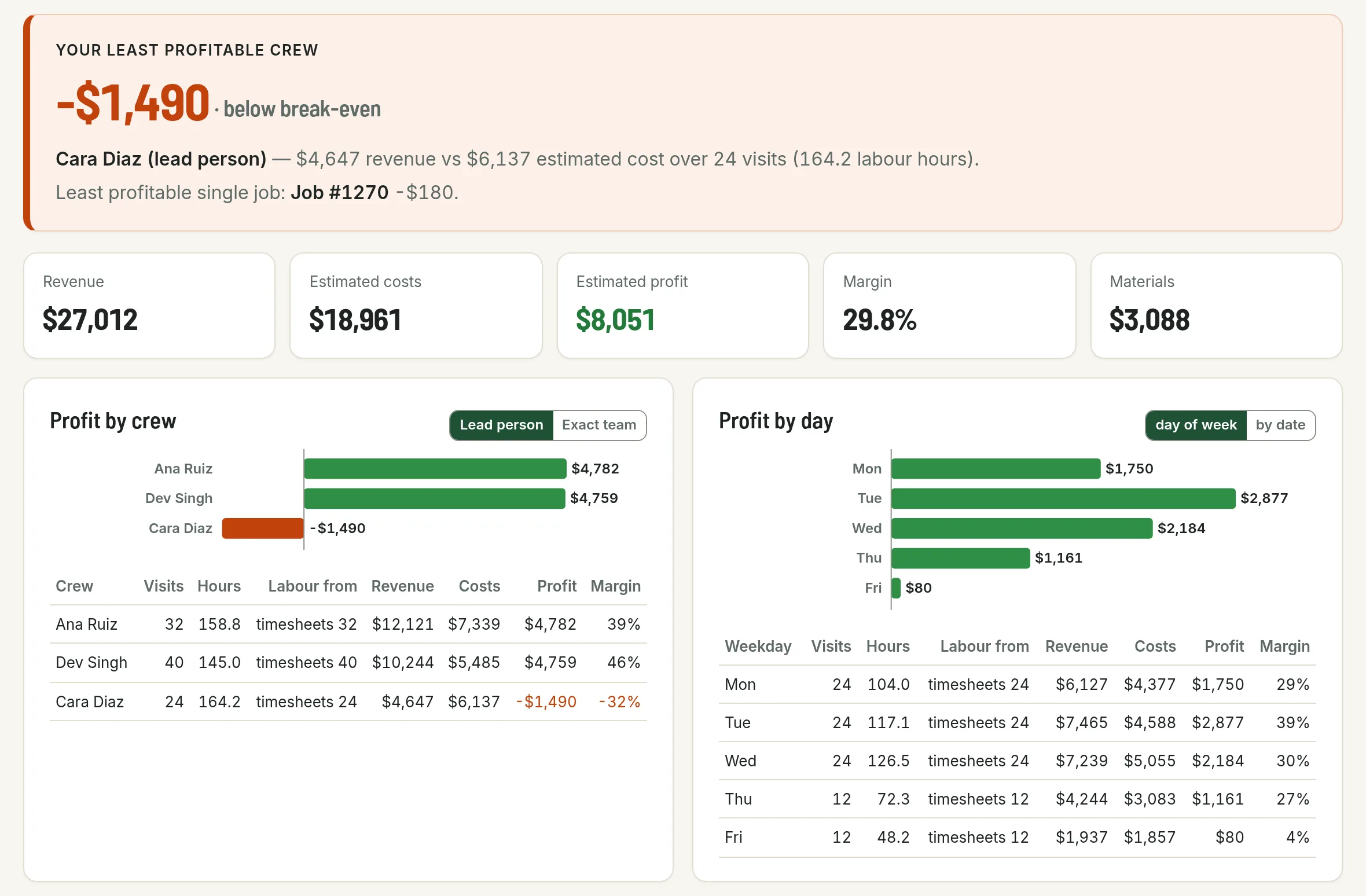
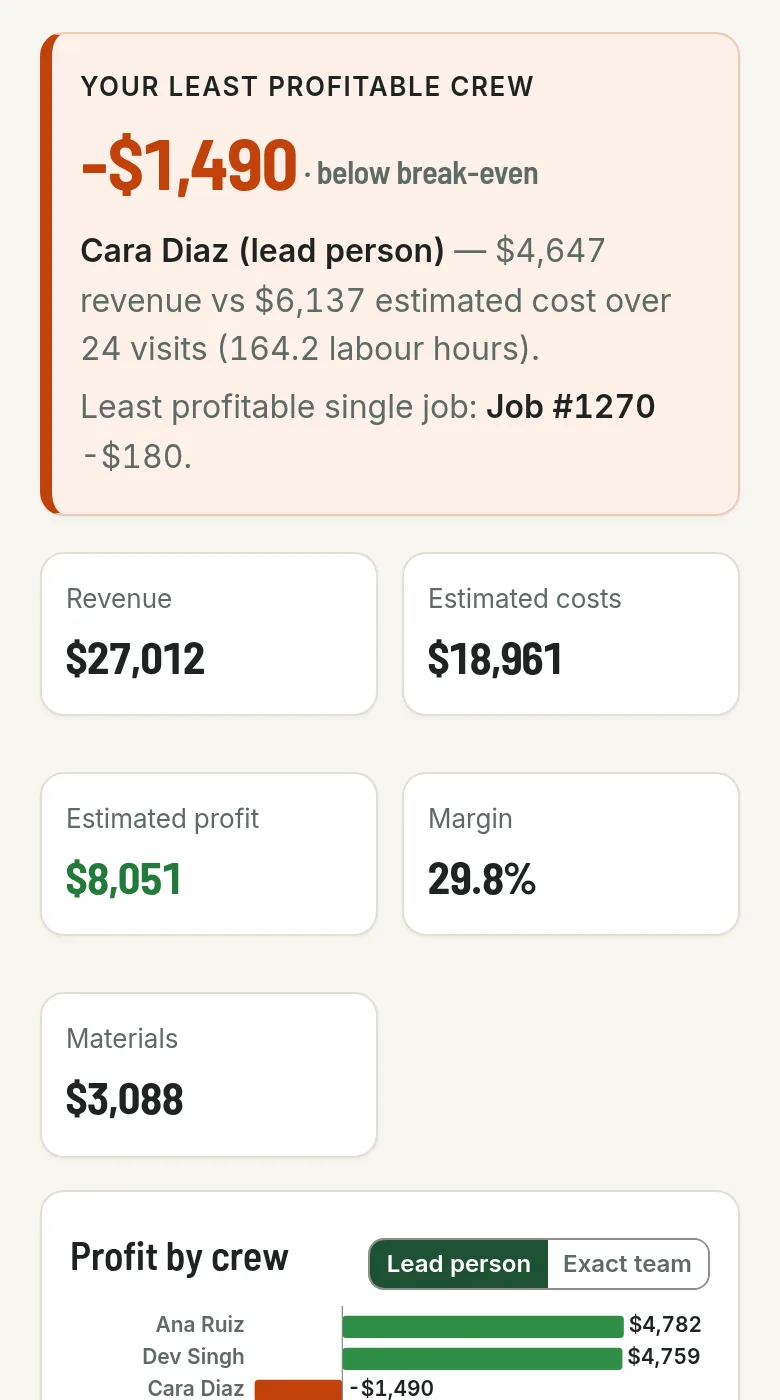
−$835
lost that week after labour, fuel, overhead and materials.
Example data. Your numbers come from your own export.
Step 1
The report you already use for scheduling. A popup on the check page shows exactly where to find it.
Step 2
Hourly wage, fuel per visit, overhead per day. Every estimate stays labelled until you change it.
Step 3
From worst to best, so the one that's costing you is right at the top.
Your file stays on your computer. It's read right here in your browser tab and never uploaded. Close the tab and it's gone.

Revenue minus labour, fuel and overhead for every crew, grouped by lead person or by exact team. Materials are included when your export has job costs.
See the sample report
See which weekday earns and which one barely pays for itself. Switch to by-date to spot a single bad day.
See the sample reportNo. It's read-only. CrewMargin only reads the file you export; it never changes anything in your account.
As accurate as the costs you enter. Anything we estimate is labelled as an estimate until you replace it with your own number.
Only if your export includes job costs. If it doesn't, we leave materials out rather than guess, and the report says so.
No. Your file is read in this browser tab and never uploaded, so we keep nothing. Click "Clear everything" or close the tab and it's gone.
No. It's a job-costing view to help you spot the crews and days that cost you money, not bookkeeping or tax advice.
CrewMargin
US$49/month
or
US$490/year
Test mode: no real money moves
Prices in USD. Sales tax is added at checkout where it applies. Paddle.com, our reseller, handles the payment. Cancel from your Paddle receipt email. Refund policy.
Check your crews free first. No card needed.
Paste it into the Licence box at the bottom of the check. Keep a copy somewhere safe.
Transaction: